Versa: SD-WAN Policies & Traffic Steering
🎯 مقصدObjectiveObjective
اس لیب میں آپ Versa SD-WAN policy rules لکھیں گے، traffic steering (preferred اور backup paths) configure کریں گے اور تصدیق کریں گے کہ ٹریفک policy کے مطابق چل رہا ہے۔
Is lab mein aap Versa SD-WAN policy rules likhenge, traffic steering (preferred aur backup paths) configure karenge aur tasdeeq karenge ke traffic policy ke mutabiq chal raha hai.
In this lab you will write Versa SD-WAN policy rules, configure traffic steering (preferred and backup paths), and verify that traffic follows the policy.
💡 آسان مثالSimple analogySimple analogy
Delivery dispatcher کی طرح جس کے پاس دو vans ہوں: urgent parcels (voice) ہمیشہ تیز van (MPLS) میں جاتے ہیں، bulk boxes (backups) سستی van (Internet) میں، اور van خراب ہو جائے تو parcels خودبخود دوسری van میں منتقل۔
Delivery dispatcher ki tarah jiske paas do vans hon: urgent parcels (voice) hamesha tez van (MPLS) mein jatay hain, bulk boxes (backups) sasti van (Internet) mein, aur van kharab ho jaye to parcels khud-ba-khud doosri van mein muntaqil.
Like a delivery dispatcher with two vans: urgent parcels (voice) always take the fastest van (MPLS), bulk boxes (backups) take the cheaper van (Internet), and if a van breaks down, parcels switch vans automatically.
🧪 سیٹ اپSetupSetup
دو Versa CPE برانچز MPLS اور Internet WAN links کے ساتھ، Director سے managed۔ Lesson 7 کا Branch-Small template دونوں پر deployed ہے۔
Do Versa CPE branches MPLS aur Internet WAN links ke saath, Director se managed. Lesson 7 ka Branch-Small template donon par deployed hai.
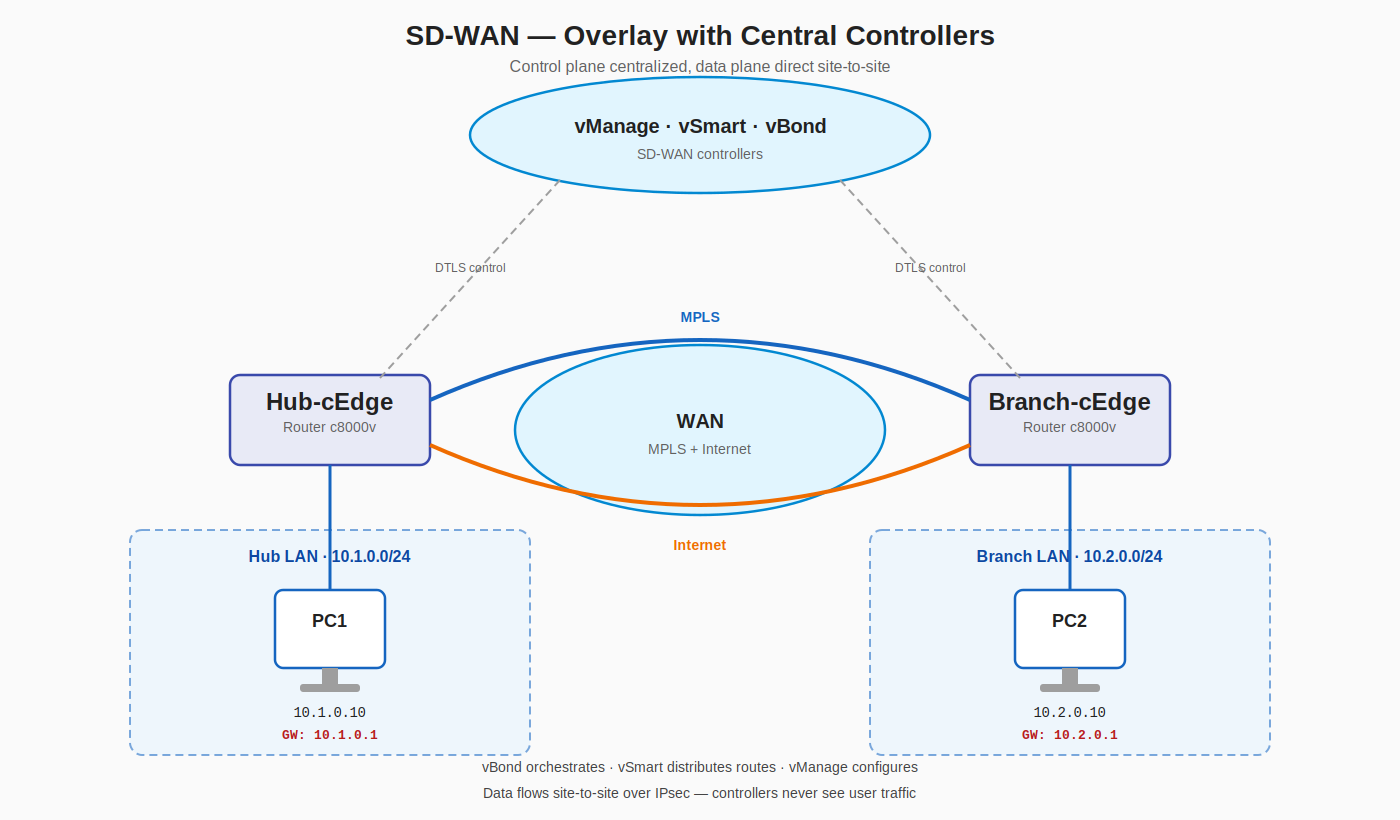
Two Versa CPE branches with MPLS and Internet WAN links, managed by the Director. The Branch-Small template from lesson 7 is deployed on both.
👣 مراحلStepsSteps
Step 1
Voice/video کے لیے SD-WAN policy rule بنائیں: application پر match کریں، forwarding MPLS path کو ترجیح دے جب تک SLA پوری ہو (loss 2% سے کم، latency 150 ms سے کم)۔
Voice/video ke liye SD-WAN policy rule banayen: application par match karen, forwarding MPLS path ko tarjeeh de jab tak SLA poori ho (loss 2% se kam, latency 150 ms se kam).
Create an SD-WAN policy rule for voice/video: match on application, set forwarding to prefer the MPLS path while it meets the SLA (loss under 2%, latency under 150 ms).
🖱️ SD-WAN policy rule بنانے کا راستہSD-WAN policy rule banane ka raastaDirector > Configuration > Policies > SD-WAN > New Rule
Step 2
Backup path لگائیں: اگر MPLS SLA توڑ دے تو وہی rule flow کو Internet path پر بھیج دے۔ یہ Versa کا AAR ورژن ہے۔
Backup path lagayen: agar MPLS SLA tor de to wahi rule flow ko Internet path par bhej de. Ye Versa ka AAR version hai.
Add the backup path: if MPLS violates the SLA, the same rule steers the flow to the Internet path. This is Versa's version of AAR.
🖱️ Backup path لگانے کا راستہBackup path lagane ka raastaDirector > Configuration > Policies > SD-WAN > Backup Path
Step 3
Bulk/backup ٹریفک کے لیے دوسرا rule بنائیں: Internet path کو ترجیح دیں تاکہ مہنگی MPLS اہم apps کے لیے خالی رہے۔ Rule کی ترتیب اہم ہے — اہم rules پہلے۔
Bulk/backup traffic ke liye doosra rule banayen: Internet path ko tarjeeh den taake mehengi MPLS ahem apps ke liye khaali rahe. Rule ki tarteeb ahem hai — ahem rules pehle.
Create a second rule for bulk/backup traffic: prefer the Internet path to keep expensive MPLS free for critical apps. Rule order matters — critical rules go first.
🖱️ Bulk ٹریفک rule کا راستہBulk traffic rule ka raastaDirector > Configuration > Policies > SD-WAN > Bulk Rule
Step 4
SD-WAN policy کو Branch-Small device group پر لگائیں اور deploy کریں۔ گروپ کی ہر برانچ کو وہی steering behavior ملے گا۔
SD-WAN policy ko Branch-Small device group par lagayen aur deploy karen. Group ki har branch ko wahi steering behavior milega.
Apply the SD-WAN policy to the Branch-Small device group and deploy. Every branch in the group gets the same steering behavior.
🖱️ Policy deploy کرنے کا راستہPolicy deploy karne ka raastaDirector > Deploy to Branch-Small
Step 5
Path statistics page پر تصدیق کریں: voice flows MPLS پر، bulk flows Internet پر۔ EVE-NG میں MPLS link خراب کریں اور دیکھیں کہ voice flow Internet پر منتقل ہوتا ہے۔
Path statistics page par tasdeeq karen: voice flows MPLS par, bulk flows Internet par. EVE-NG mein MPLS link kharab karen aur dekhen ke voice flow Internet par muntaqil hota hai.
Verify on the path statistics page: voice flows on MPLS, bulk flows on Internet. Degrade the MPLS link in EVE-NG and watch the voice flow move to Internet.
🖱️ Path statistics دیکھنے کا راستہPath statistics dekhne ka raastaDirector > Monitor > SD-WAN > Path Statistics
✅ تصدیقVerifyVerify
صحت مند نیٹ ورک میں voice MPLS پر اور bulk Internet پر ہونا چاہیے۔ MPLS خراب کرنے کے بعد voice Internet پر جائے اور SLA ٹھیک ہونے پر واپس آئے۔
Sehatmand network mein voice MPLS par aur bulk Internet par hona chahiye. MPLS kharab karne ke baad voice Internet par jaye aur SLA theek hone par wapas aaye.
With a healthy network, voice must use MPLS and bulk must use Internet. After degrading MPLS, voice must move to Internet and return when the SLA recovers.
🔧 مسائل کا حلTroubleshootingTroubleshooting
Rule order چیک کریں — آپ کے rule سے اوپر کوئی وسیع rule پہلے match ہو رہا ہوگا۔ Specific rule کو اوپر کریں اور redeploy کریں۔Rule order check karen — aapke rule se oopar koi wasee rule pehle match ho raha hoga. Specific rule ko oopar karen aur redeploy karen.Check rule order — a broader rule above yours may be matching first. Move the specific rule higher and redeploy.
اس path پر SLA probes نہیں چل رہے ہوں گے، اس لیے وہ کبھی 'failed' نہیں ہوتا۔ دونوں WAN links پر SLA monitoring on ہونی چاہیے۔Us path par SLA probes nahi chal rahe honge, is liye wo kabhi 'failed' nahi hota. Donon WAN links par SLA monitoring on honi chahiye.The SLA probes may not be running on that path, so it is never marked 'failed'. Verify SLA monitoring is enabled on both WAN links.
🎤 انٹرویو سوالاتInterview Q&AInterview Q&A
A: SD-WAN policy rule ٹریفک match کرتا ہے (application، user، SLA کی بنیاد پر) اور forwarding behavior طے کرتا ہے: preferred path، load balancing یا backup path۔ Rules اوپر سے نیچے evaluate ہوتے ہیں۔SD-WAN policy rule traffic match karta hai (application, user, SLA ke bunyad par) aur forwarding behavior tay karta hai: preferred path, load balancing ya backup path. Rules oopar se neechay evaluate hote hain.An SD-WAN policy rule matches traffic (by application, user, SLA) and sets the forwarding behavior: preferred path, load balancing, or backup path. Rules are evaluated top-down.
A: Cisco AAR vSmart کی centralized data policy کے اندر ایک action ہے۔ Versa steering CPE کی native SD-WAN policy ہے جو Director templates سے چلتی ہے — تصور ایک، building block مختلف۔Cisco AAR vSmart ki centralized data policy ke andar aik action hai. Versa steering CPE ki native SD-WAN policy hai jo Director templates se chalti hai — tasawwur aik, building block mukhtalif.Cisco AAR is an action inside a centralized data policy on vSmart. Versa steering is a native SD-WAN policy on the CPE driven by Director templates — same idea, different building block.